Product tour
Fourteen stops. Zero imagination required.
Real screens from the klerc console — a fictional insurance and wealth brokerage, and in dark mode a fictional hotel group. This is what your first week looks like.
- 01
Land on a dashboard that already knows the answer
The executive view of a demo hotel group — a portfolio map, a brand treemap and revenue charts, every lens a saved report on live data.
Reports & analytics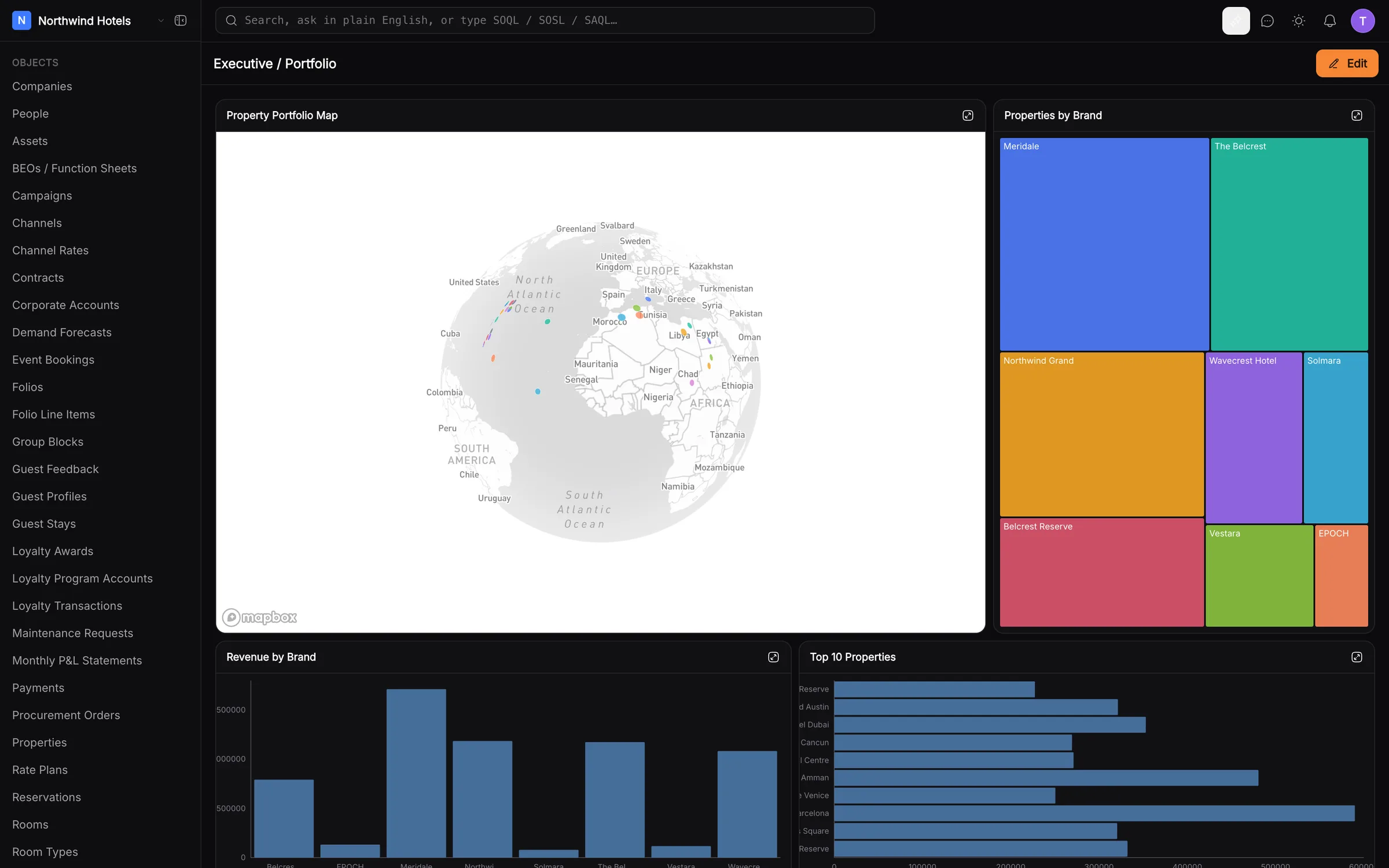
- 02
Every enquiry, numbered and sourced
The Leads object: readable IDs, the source of every lead — referral, website, digital marketing, walk-in — and what they're interested in, as badges you can group and filter by.
CRM & records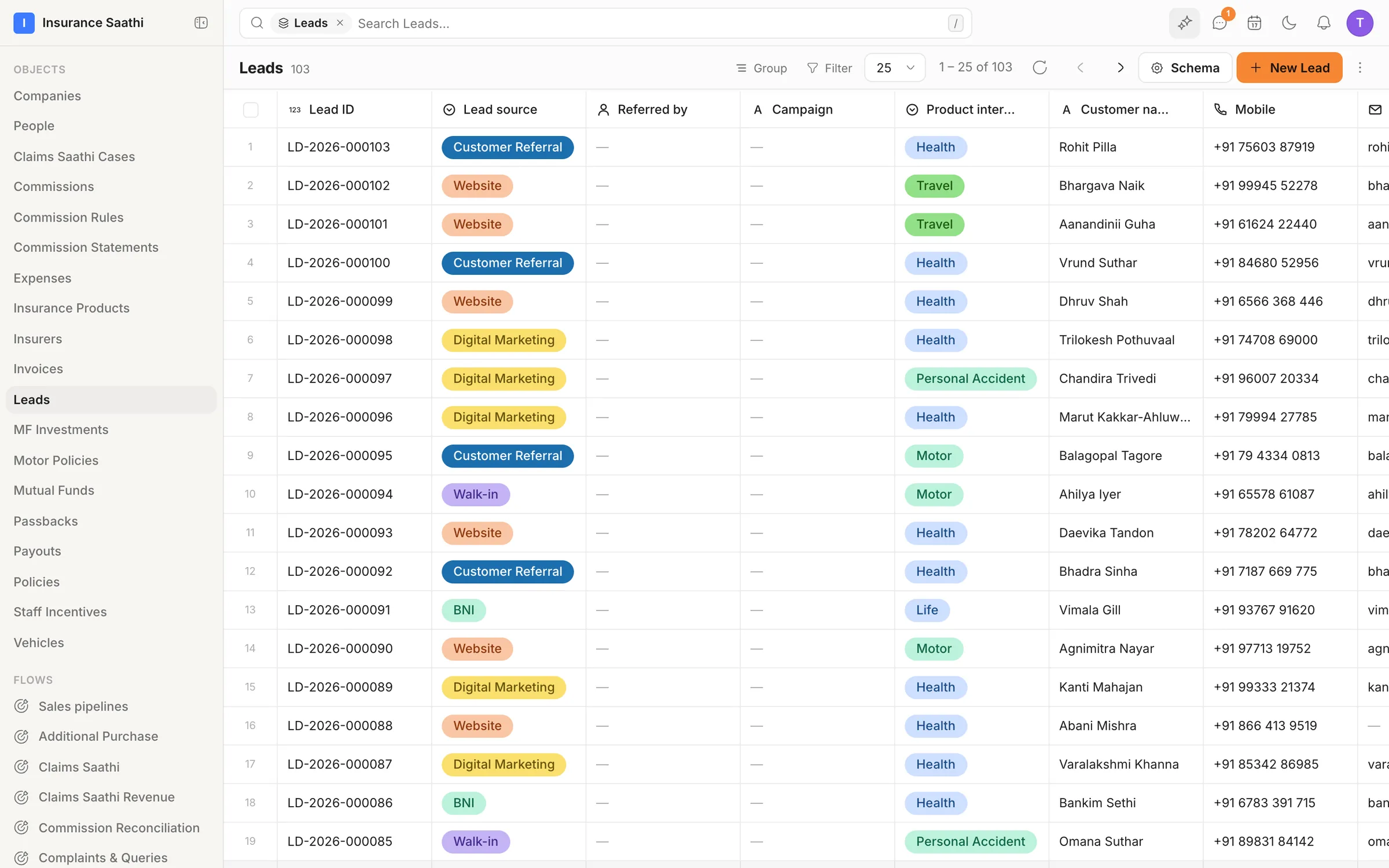
- 03
Your data lives in objects you designed
Motor policies, claims, commissions, insurers — each a custom object with its own fields. The table sorts, filters, pages and bulk-edits without breaking a sweat.
CRM & records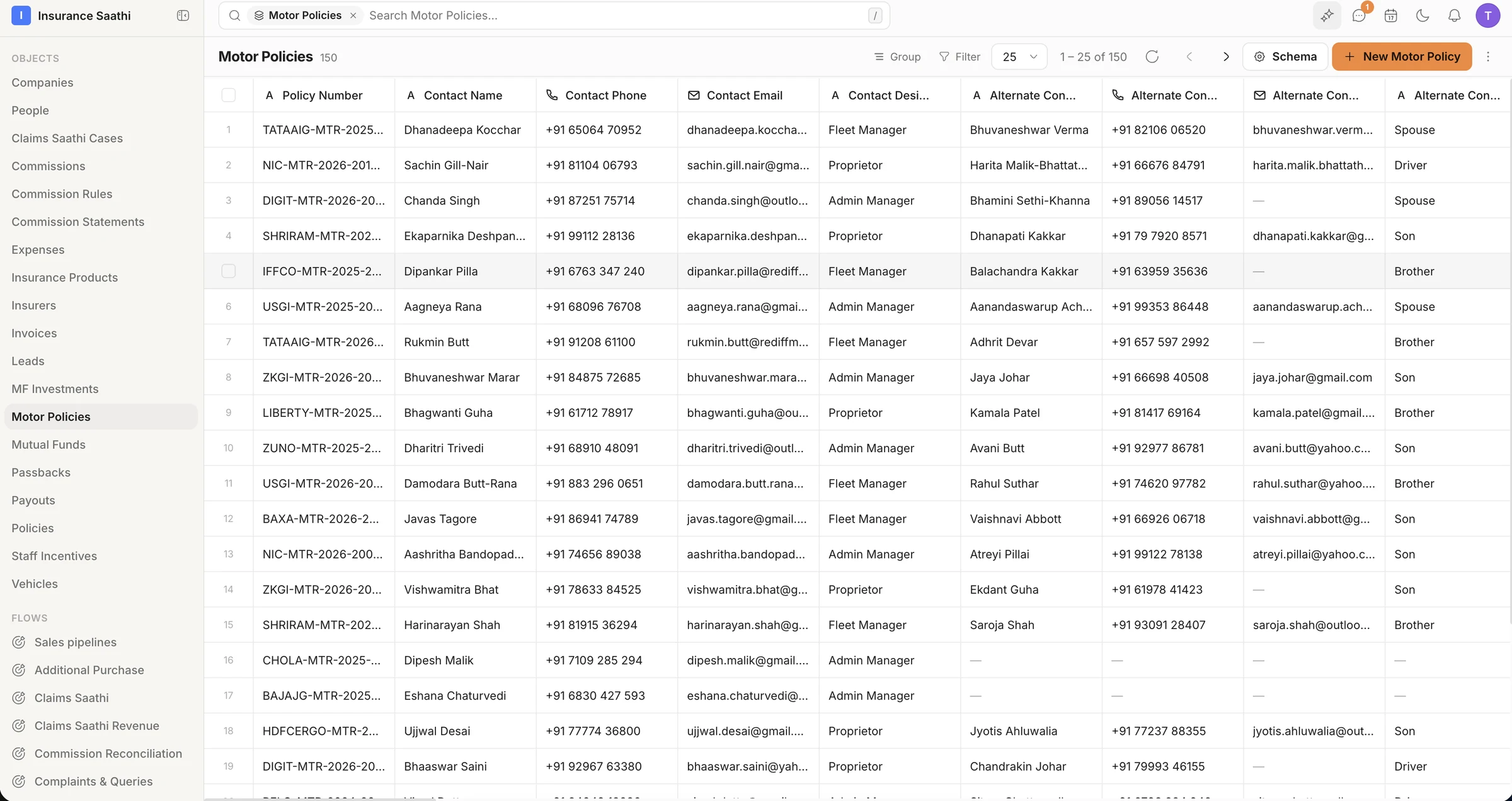
- 04
Work renewals on a board with rules
A Policy Renewal flow puts stages behind the records. Cards drag between columns, overdue ones flag themselves, and every transition lands in history.
Pipelines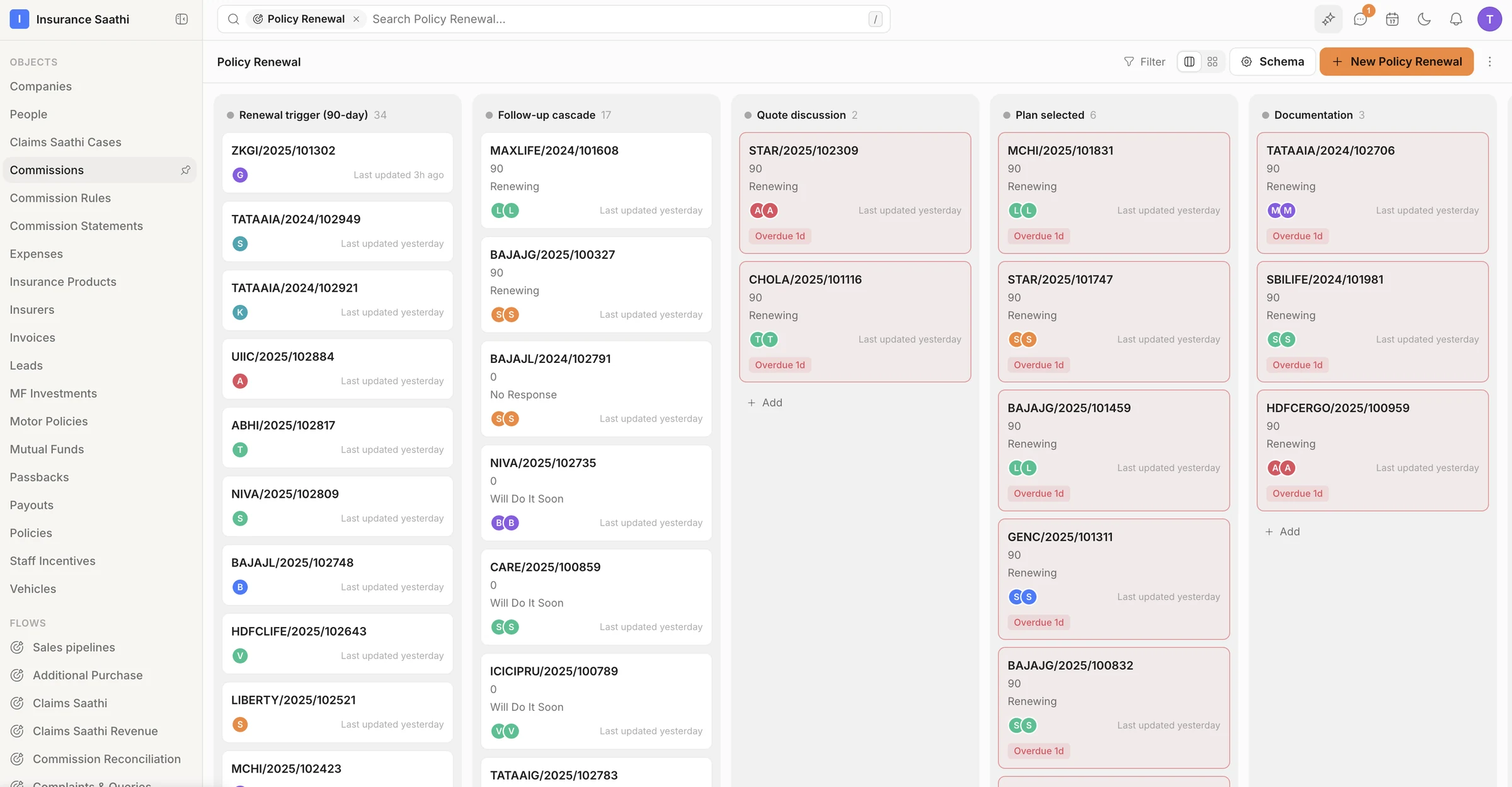
- 05
A calling floor, as a flow
Lead allocation, the calling queue, contact attempts, callbacks — each card carries the last call's outcome, and the overdue ones turn red.
Pipelines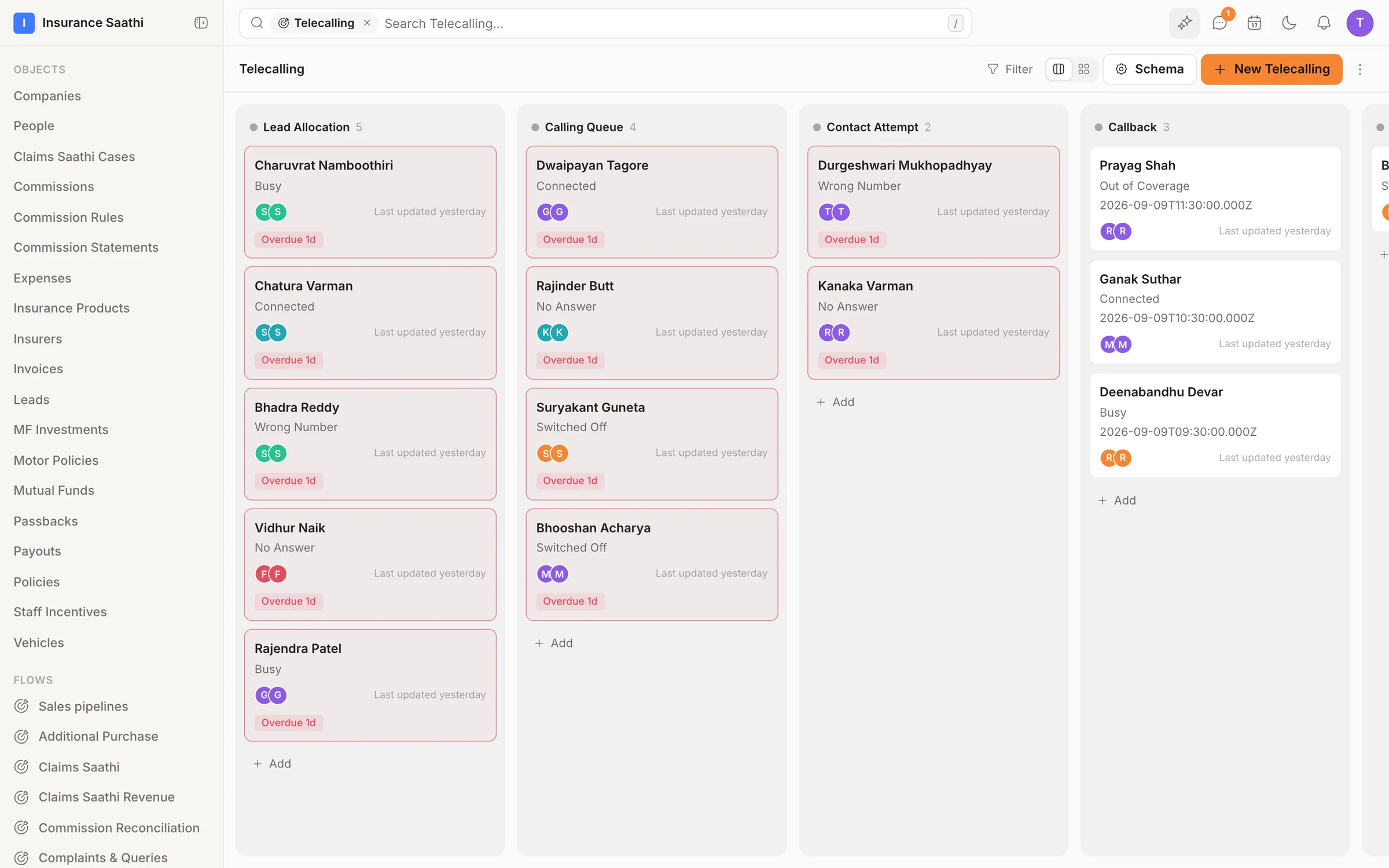
- 06
Every conversation, one inbox
WhatsApp next to Gmail, next to Instagram, next to a website chatbot — assigned, labelled and SLA-tracked, with the contact and their channels on the right.
Omnichannel inbox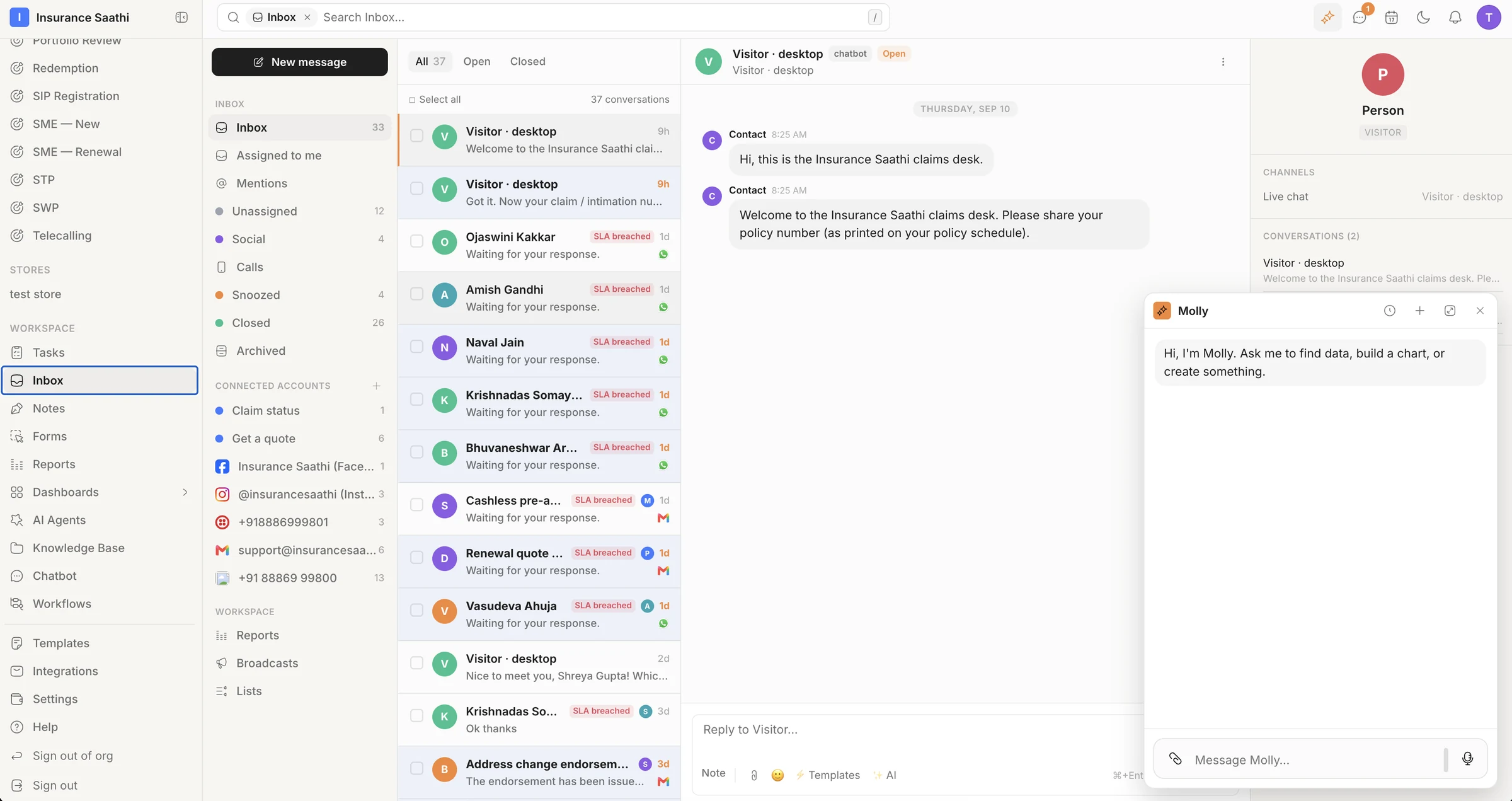
- 07
One library for every message
Renewal reminders, claim updates, policy copies and greetings across WhatsApp, SMS, email and chat — with Meta's approval status on every WhatsApp template.
Templates & broadcasts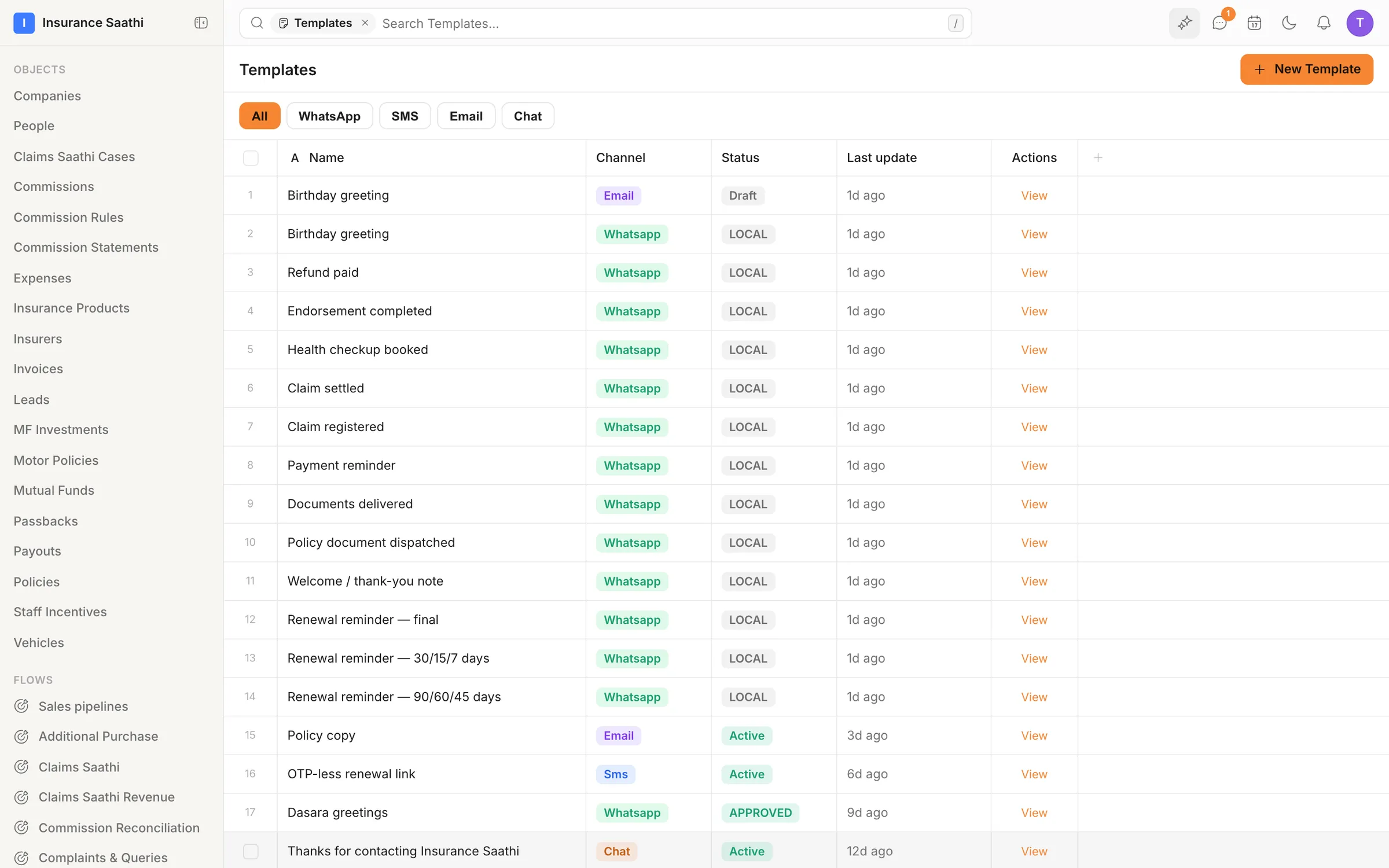
- 08
Bots that file their own paperwork
A claim-status bot on the canvas: ask for the policy number, ask for the claim number, send the status, ask for a rating — and hand off to a person when it's poor.
Chatbots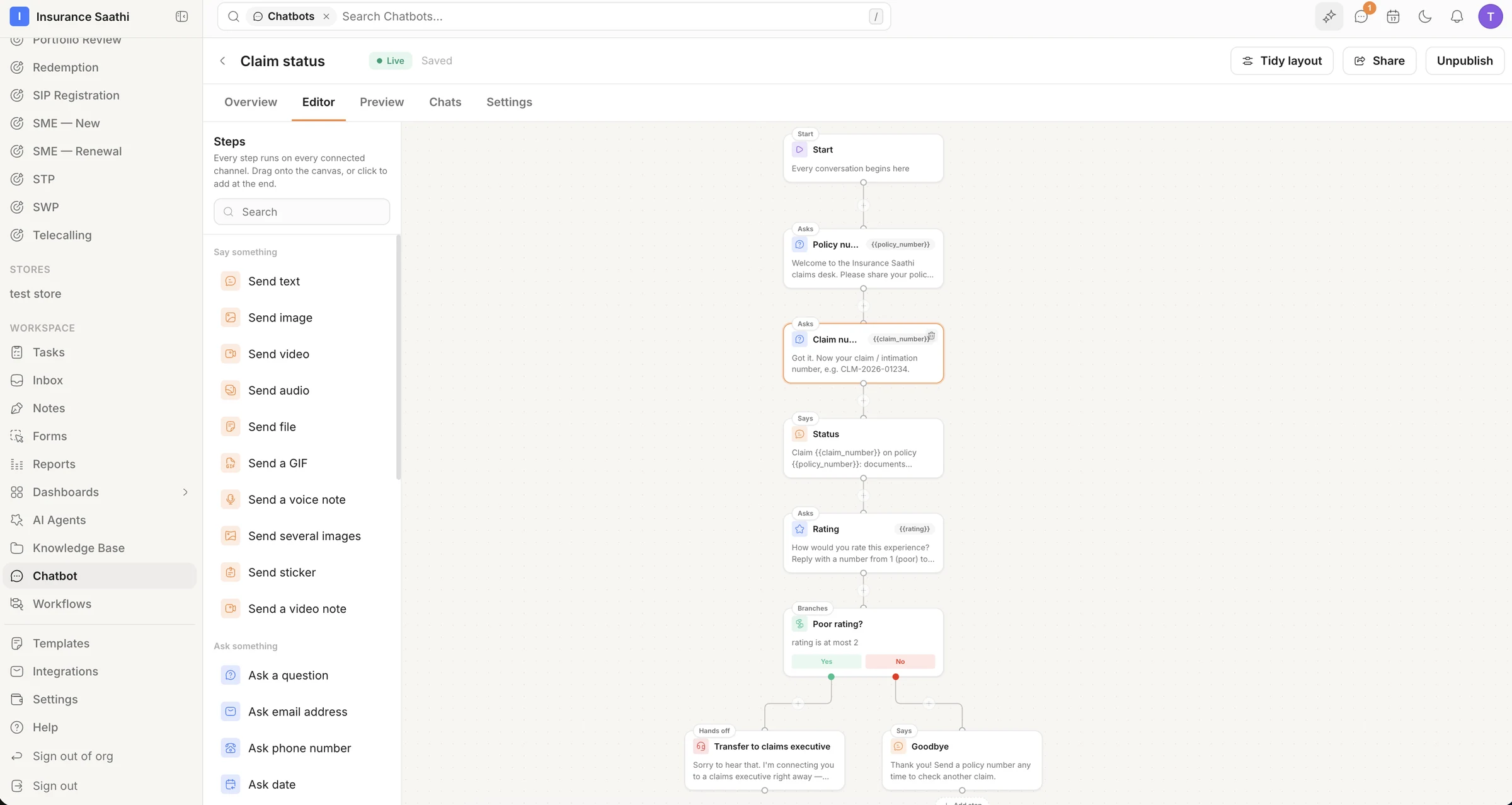
- 09
Forms that branch, and land as records
A health-insurance quote form in two sections, with typed fields, required toggles and a branch to the next section — every submission becomes a lead.
Forms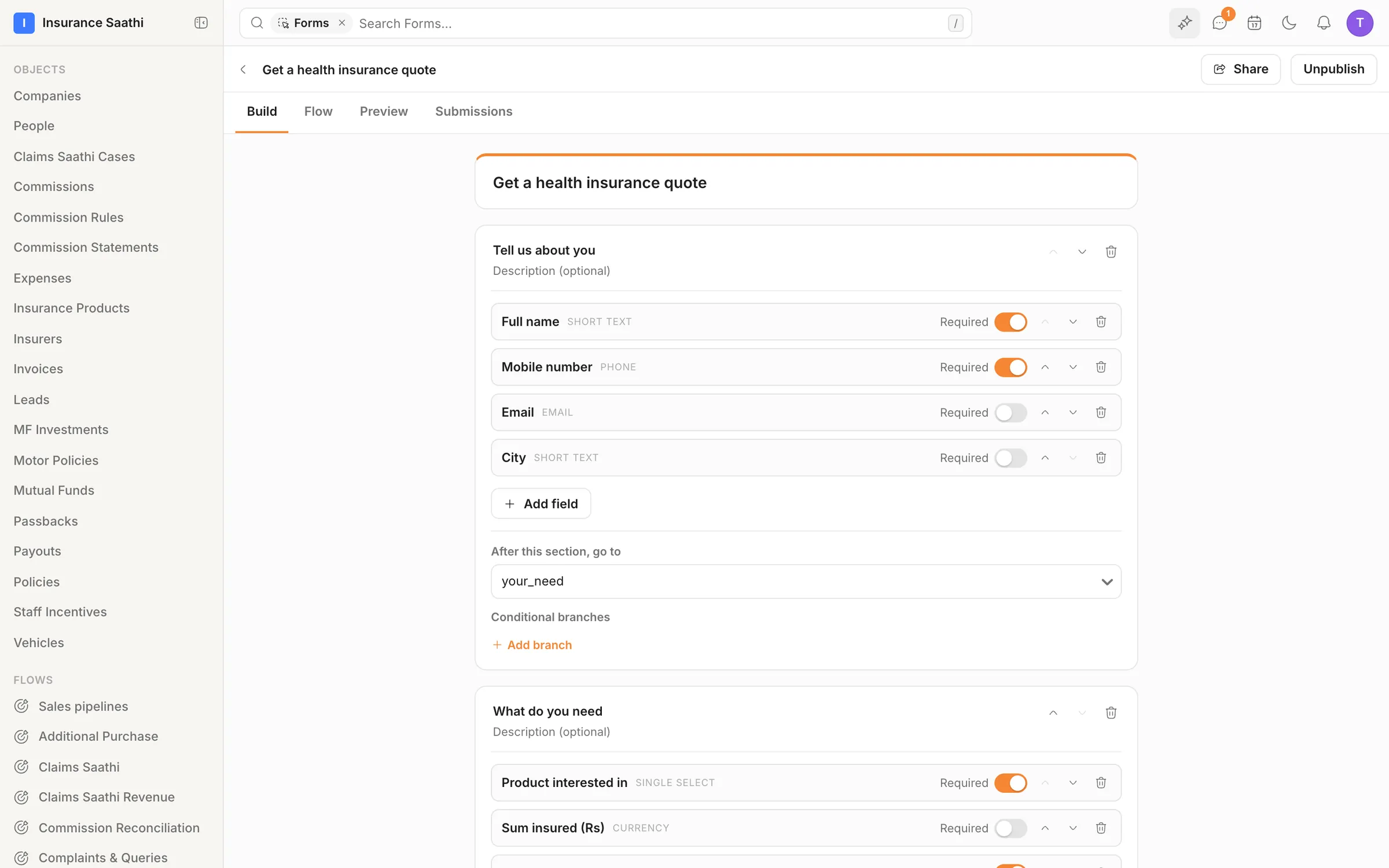
- 10
Seventy-five workflows, all healthy
Renewal cascades, KYC reminders, SLA alerts and callbacks — each switched on, health-checked, with its runs and last run at a glance.
Workflows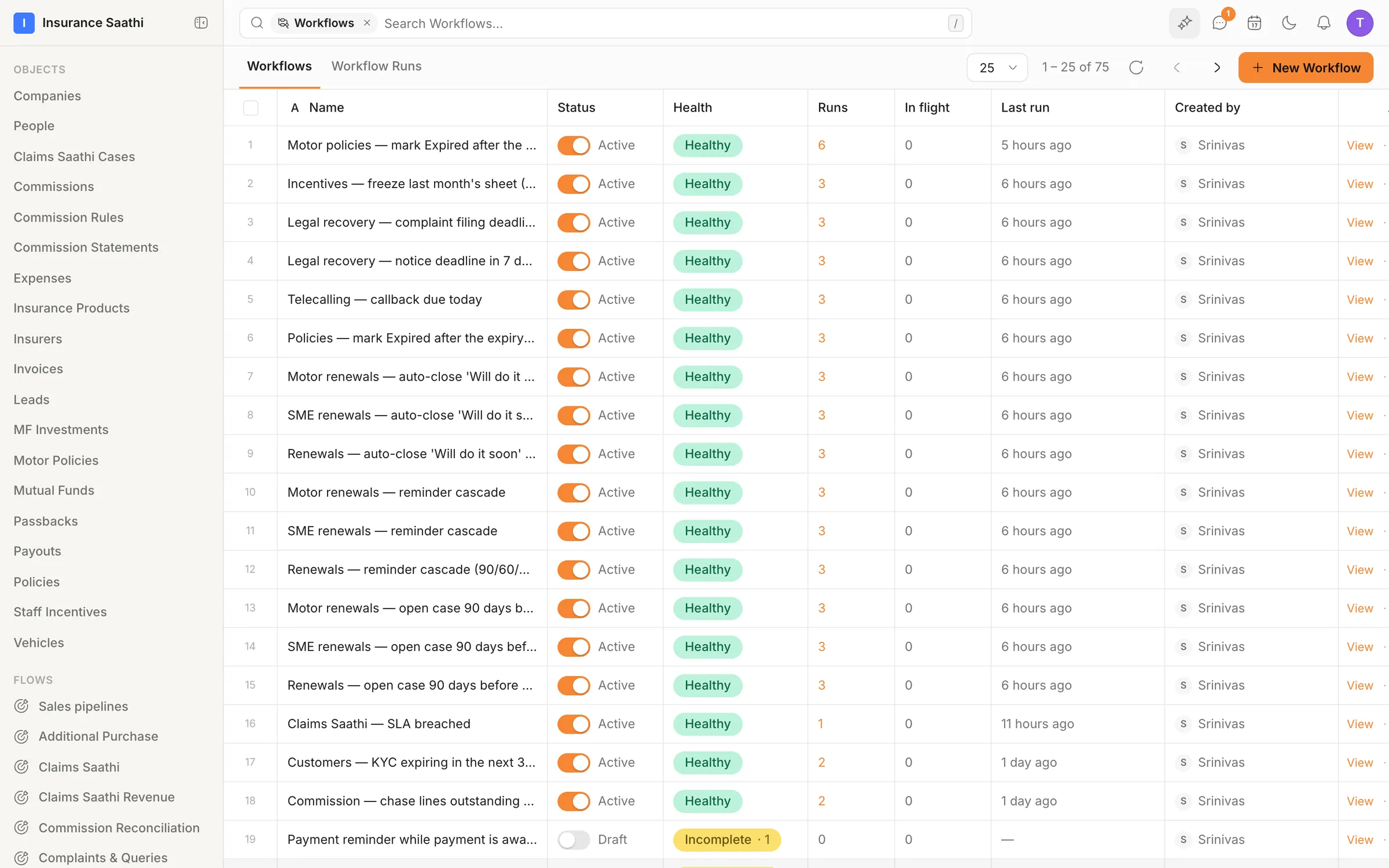
- 11
An AI agent, on a budget
The renewals assistant: what it cost this month against a $50 cap, the approvals waiting for a person, and how often it was woken — and what it acted on.
AI agents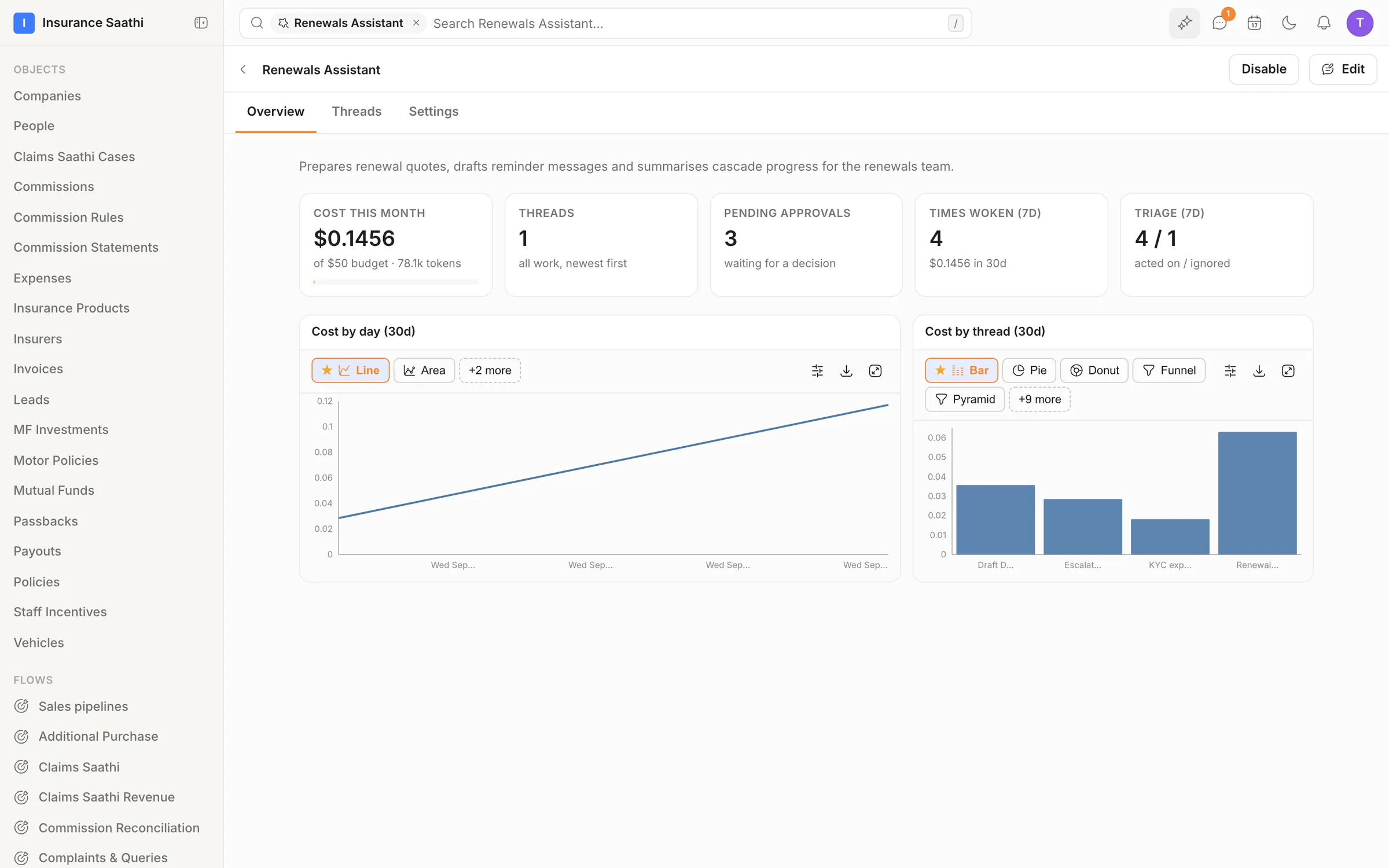
- 12
Ask Molly. Get a chart, not a paragraph.
Which brand made the most reservation revenue? Molly ran the query and answered with a live chart — switchable between visualisations, openable in the app.
Molly AI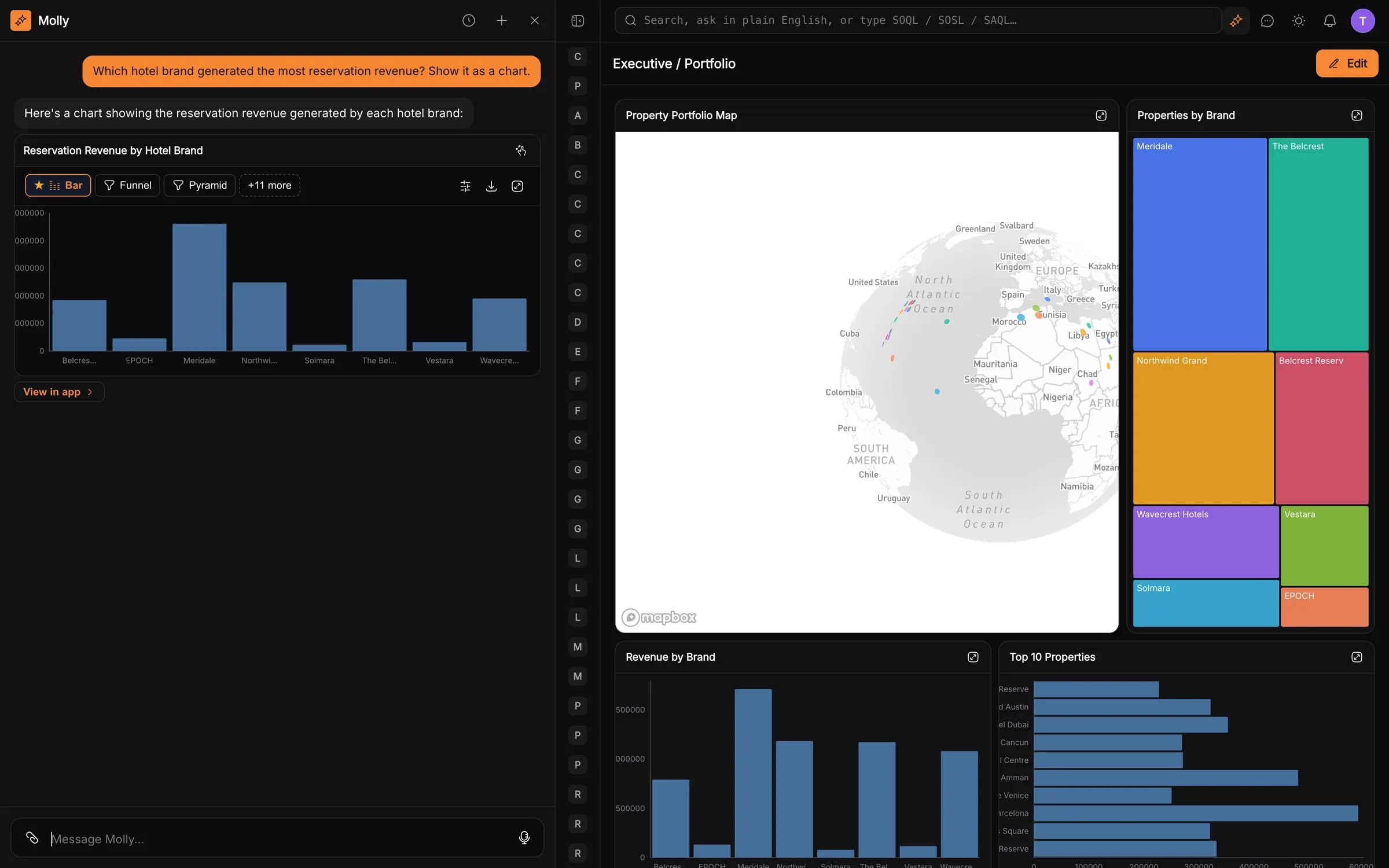
- 13
Files become knowledge
Brochures, claim forms, insurer circulars and SOPs — parsed, summarised and tagged, with real previews, and searchable by Molly and your agents.
Knowledge base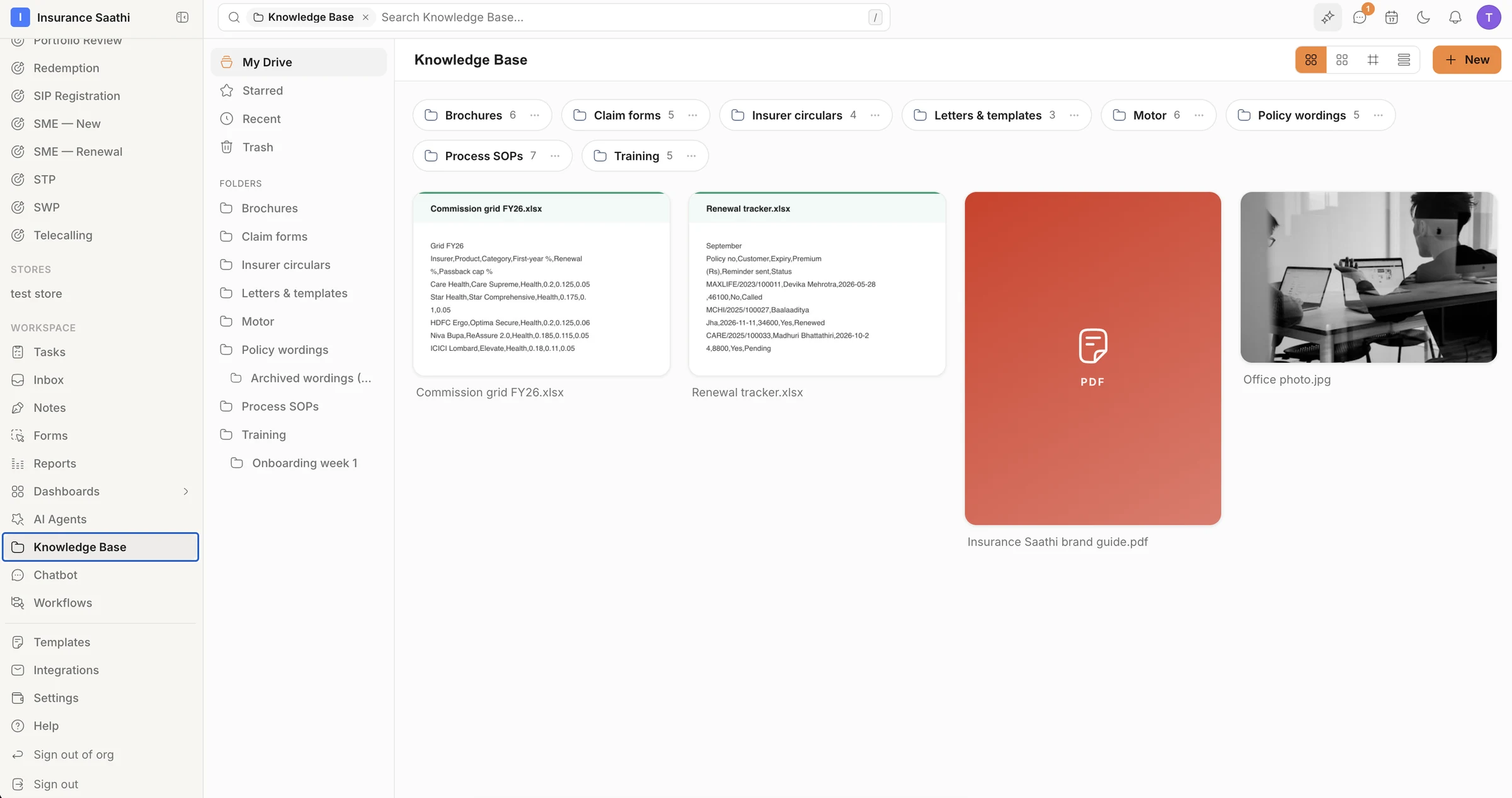
- 14
And an admin panel that means it
Switch whole features on or off for the organisation; set roles, teams and a drag-and-drop hierarchy; read the audit log; mint API tokens and secrets — all in one settings tree.
Security & IAM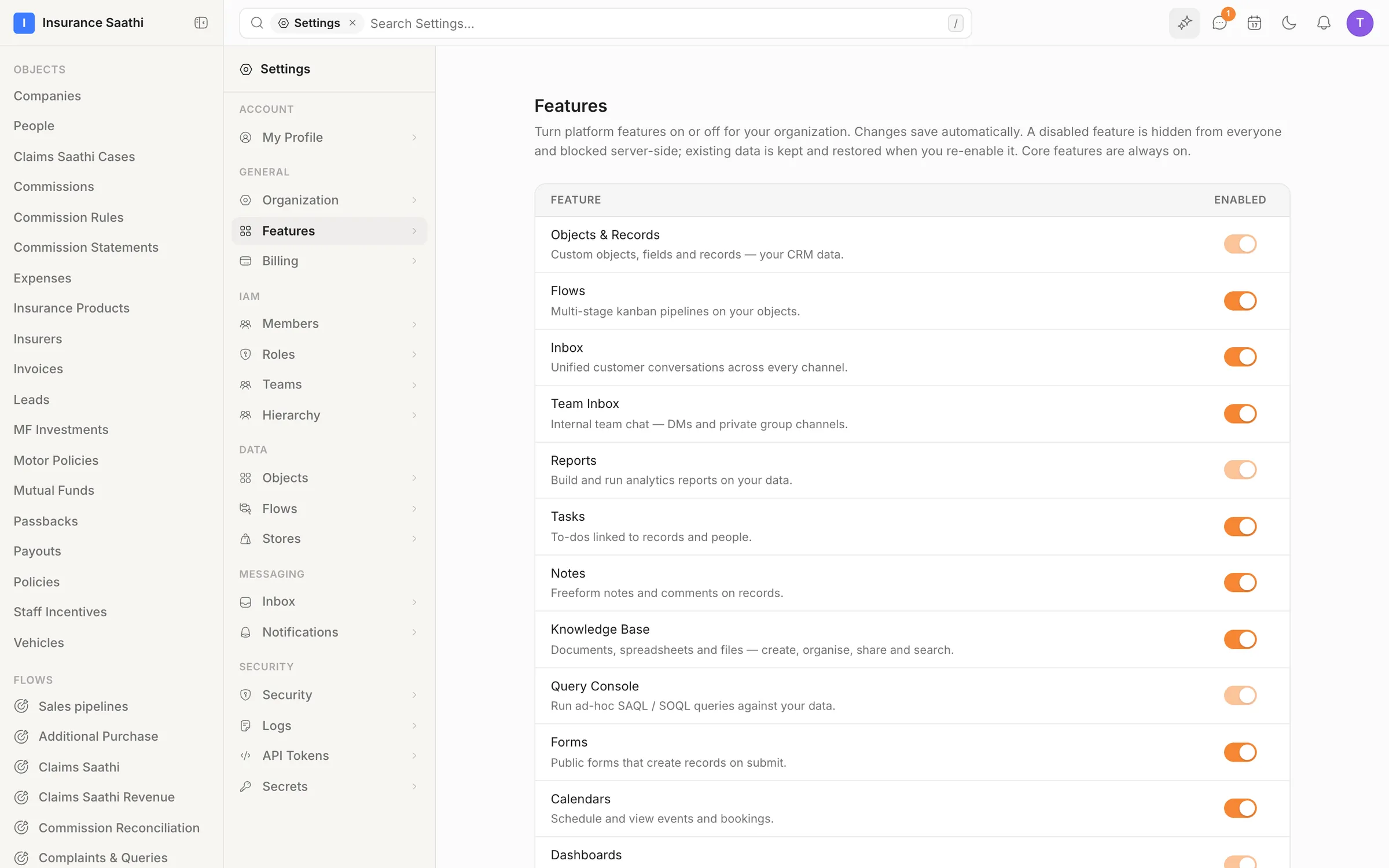
Now try it with your data.
Everything you just saw ships in early access — bring your team and connect your channels.