Invoices
Invoices that chase themselves.
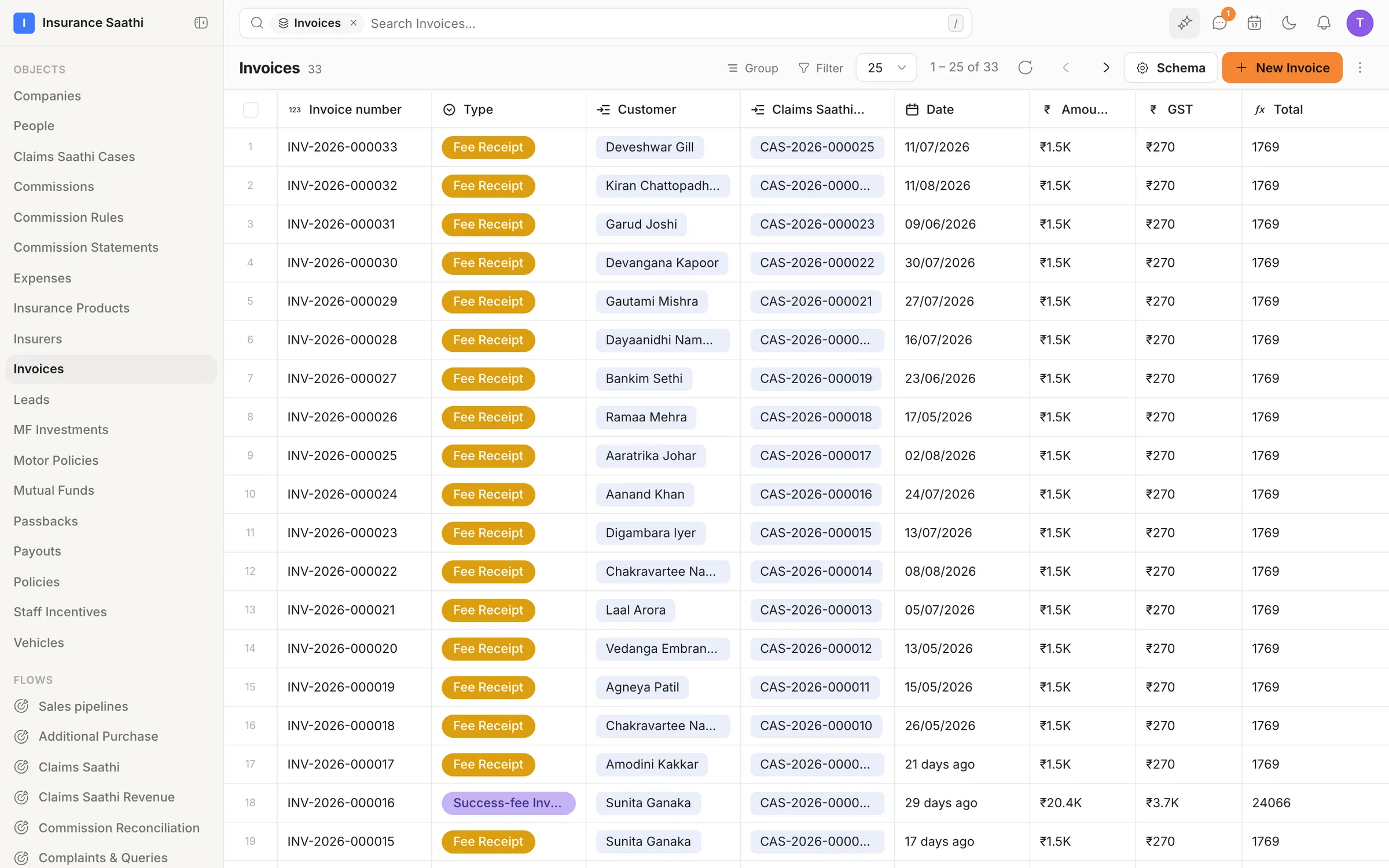
Every invoice lives on the client's record — numbered, totalled by formula and marked paid when the money arrives. While one is still due, a workflow sends the reminder from an approved template, or puts a call on the owner's list.
- invoices in the demo workspace
- 33
- fields on its Invoice object
- 13
- totals worked out by formula
- ƒx
- numbered — INV‑2026‑000033
- Auto
On the record
Every invoice, next to the client
Design an Invoice object once — number, type, customer, job, amount, tax, status — and each invoice links to the client and the case or project it bills.
- Auto-numbered, like INV‑2026‑000033
- Linked to the customer and the job
- Grouped and filtered like any list
Totals
Totals that add themselves up
Enter the amount and the tax, and a formula field works out the total — computed every time the invoice is read, so it's never out of date.
- Formula fields for totals and tax
- Currency fields in your own currency
- 50+ formula functions
Payments
Know what's paid — and what isn't
Record how each invoice was paid — online, UPI, cash or bank transfer — and when, and attach the receipt. Outstanding invoices are one filter away.
- Payment mode, status and paid-on date
- Receipts attached as files
- What's outstanding, filtered in a moment
Follow-up
Reminders that do the chasing
A workflow can find invoices still awaiting payment and send a reminder from an approved WhatsApp or email template — or give the owner a task to call.
- Reminders from approved templates
- A task when a call works better
- Conditions on status, so paid invoices are left alone
Also in the box
Revenue dashboards
Pin revenue charts to a dashboard — the demo's Commission & Revenue board breaks income down by insurer, category and month.
Payment apps
Stripe, Razorpay, QuickBooks and Xero are in the integrations catalogue.
Import your history
Bring past invoices in from a CSV with Import / Export.
Your own fields
Add what your business needs — due dates, payment terms, discounts — like on any object.
Who sees amounts
Field-level security decides who can see or edit what's billed.
Ask Molly
Ask which invoices are still unpaid this month and get the table back.
Put your agents to work.
Bring your team, connect your channels and let klerc take the follow-ups — from first hello to paid invoice.
Free during early access. No credit card needed.