CRM & Records
Your records, agent‑ready.
Policies, patients, properties, cases — design objects that match the service you sell and wire them together with lookups. Every module understands them instantly, Molly knows them field by field, and you can ask an agent about any record from its header.
- field types
- 28
- custom objects
- ∞
- system objects — Person, Company
- 2
- formula functions
- 50+
Schema designer
Model anything you sell
Objects are defined in a visual schema editor — name, icon, colour and a field list that goes far beyond text and number. Reference other records, assign owners and teams, capture addresses with map-pin precision, attach files and compute values.
- Per-field config: required, unique, indexed, hidden, options
- Lookup and lookup-many relations between any objects
- Address fields with autocomplete and a draggable map pin
List views
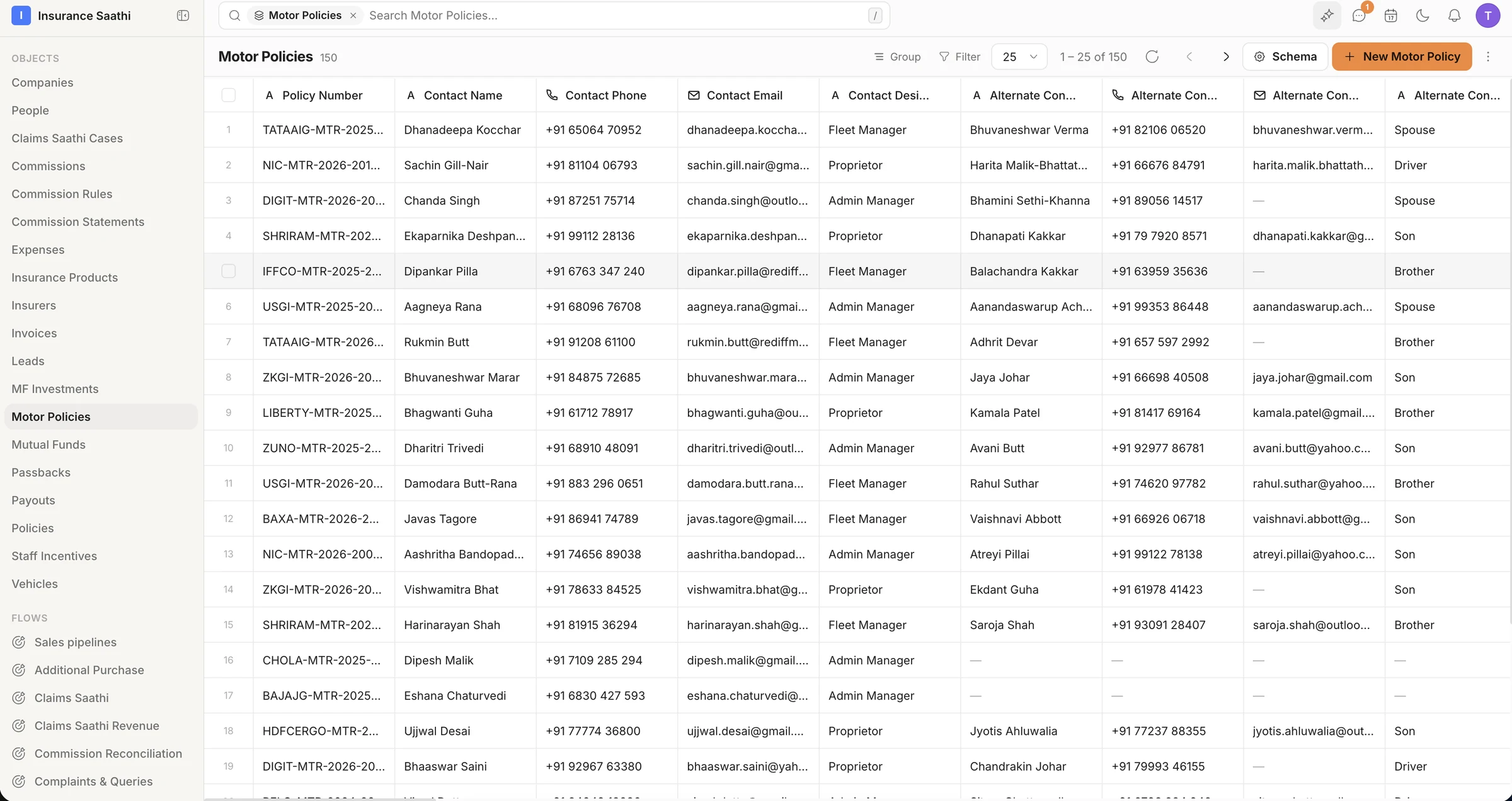
A list view that works like a power tool
Dynamic columns from your schema, grouping, three-state sorting and server-side pagination — with a filter builder of nested AND/OR groups that compiles straight to SOQL. Edit inline, bulk-edit a selection, or import and export from the same toolbar.
- Inline and bulk edits, gated by field-level permissions
- Group by any field; select fields render as coloured badges
- Import / Export with a failed-row download
Formulas
Values that compute themselves
Formula fields use a Salesforce-compatible DSL, are validated on the server when you save, and are evaluated when a record is read — so a commission or a days-to-renewal count is never stale.
- 50+ functions
- Validated server-side on save
- Inlined into queries at read time
Capture
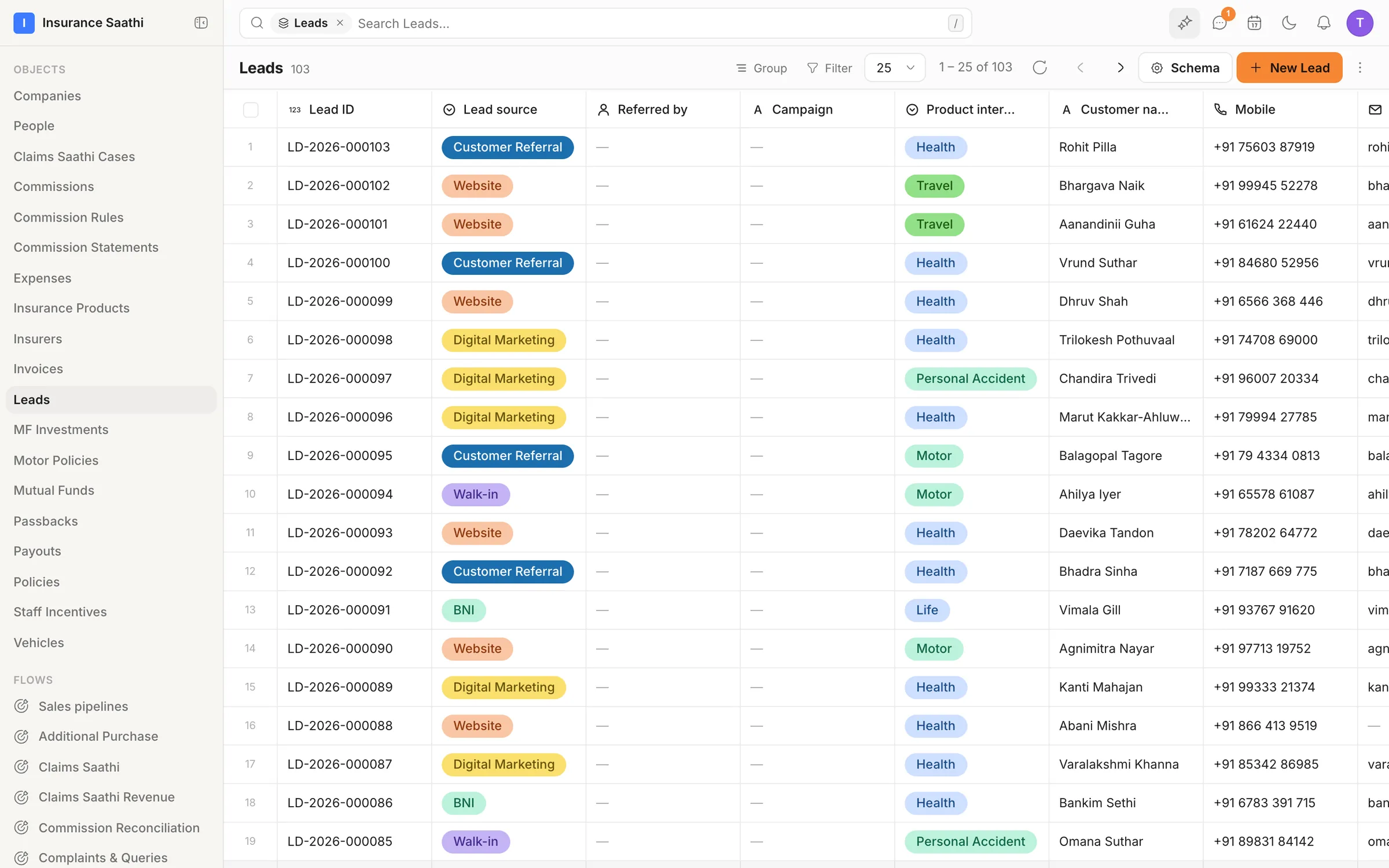
Every lead numbered, sourced and ready to work
Records carry readable IDs — LD‑2026‑000103, CAS‑2026‑000020 — and remember where they came from: a form, a chatbot, the API or an import. In the demo brokerage, 103 leads wear their source and product interest as badges, ready to filter, group or hand to a pipeline.
- Readable record IDs you can quote on a call
- Source provenance on every record — form, chatbot, API, import
- Phone numbers stored with the country code, shown your way
Also in the box
Record pages
An overview with record-level charts, then Activity, Related, Notes, Tasks, Files and Chats tabs.
Ask agent
Ask an AI agent about any record from its header — or message the customer from the same bar.
System objects
Person and Company ship as first-class objects. Extend them like anything else.
Objects on or off
Switch any custom object on or off in settings; system objects can't be deleted.
Soft delete
Records are never hard-deleted by default — recover from mistakes.
E.164 phones
Numbers normalised with region-aware parsing on the way in, and shown in your organisation's format.
Put your agents to work.
Bring your team, connect your channels and let klerc take the follow-ups — from first hello to paid invoice.
Free during early access. No credit card needed.