Tasks & Notes
Tasks that write themselves.
Workflows turn the dates in your data into tasks — a renewal 90 days out, a KYC about to expire, a callback due at eleven — each with an owner, a priority and the record attached. Notes keep what was said on the client's record; team chat keeps the rest next to the work.
- tasks in the demo workspace
- 155
- notes in the demo workspace
- 100
- on notes — escalation, KYC, renewal
- Tags
- access for outsiders, thread by thread
- Guest
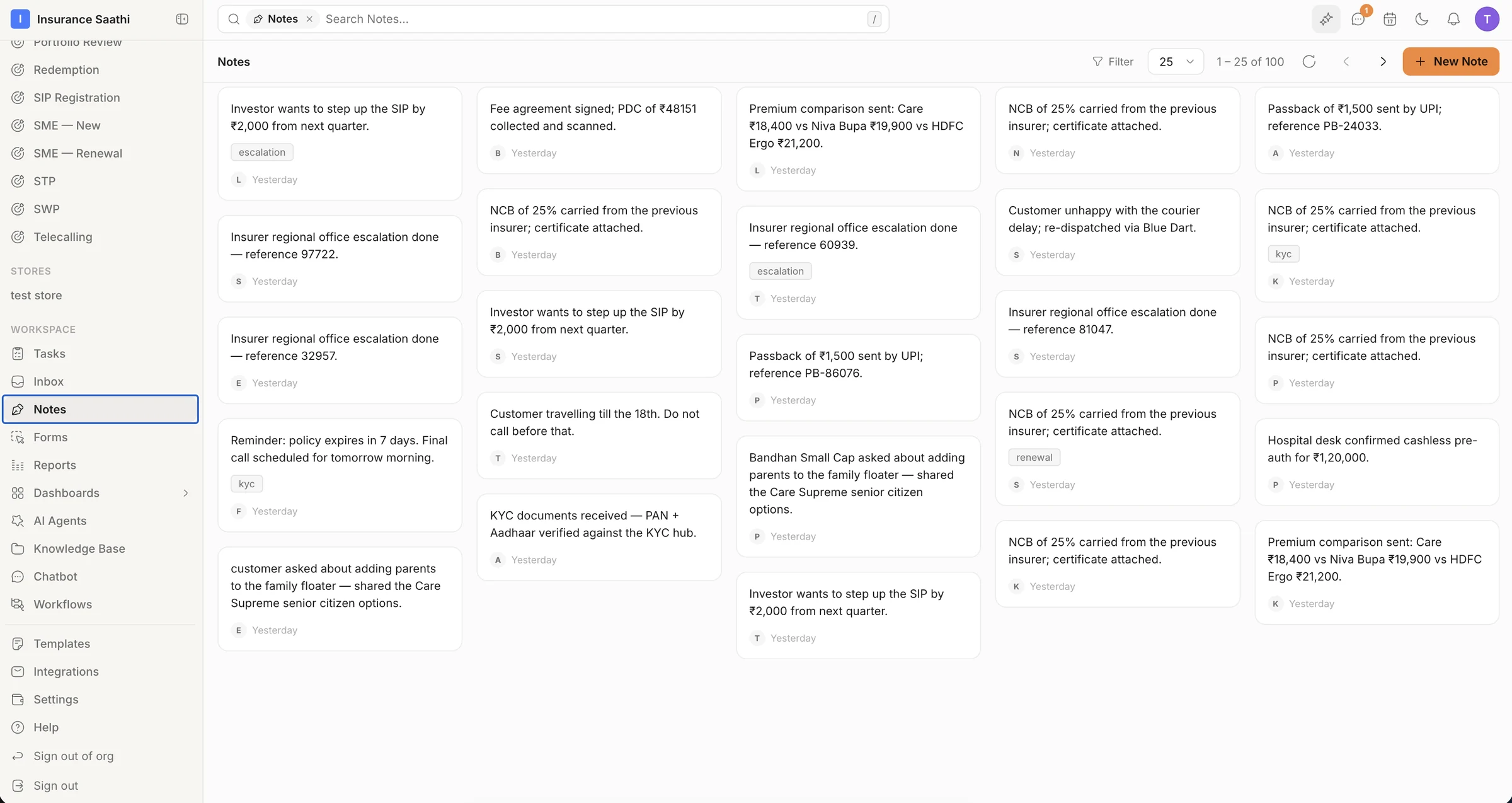
Notes
Notes that stay with the client
Write down what was said, promised or decided — on the record it's about — and tag it so it's easy to find. The next person reads it before they pick up the phone.
- Rich-text notes on any record
- Tags like escalation, KYC and renewal
- Filter and search every note
Tasks
Made by workflows, closed by people
A task carries a title, status, priority, due date, one or more assignees and the record it relates to. Most are created by workflows — an SLA breach, a KYC about to expire, a callback due — so nobody has to remember to remember.
- Priority, due date and multiple assignees
- ‘Relates to’ links straight back to the record
- Created by people, workflows or Molly
Follow-up
From a date in the data to a reply in the thread
A daily schedule finds renewals due in 90 days and the reminder cascade does the rest: a task for the owner, an approved WhatsApp template to the customer, the card moved to Follow-up. When the customer replies, the thread lands in the inbox with a draft waiting.
- Cascades that count down — 90, 60, 45 … 1, 0 days
- Tasks, messages and stage moves from one workflow
- Replies land in the inbox, on the right record
Teamwork
Talk about the work where the work is
Team Inbox is internal chat — direct messages and private group channels, with threads, activity and a Later list — kept apart from the customer inbox. Notifications tell you about new leads, workflow runs and mentions.
- DMs and private channels, separate from customers
- Threads, activity and a Later list
- Notifications for leads, runs and mentions
Also in the box
Guests in Team Inbox
Invite an outsider as a Guest — they only see the conversations they're added to.
Drafts & Later
Park a message for later or finish a draft — Team Inbox keeps both.
On every record
Record pages carry Notes, Tasks, Files and Chats tabs, so the history travels with the customer.
Weekly digest
Opt into a weekly digest alongside alerts for new leads, workflow runs and mentions.
Actions tab
Notifications that need a decision gather in their own Actions tab.
Appointments
Calendars, bookings and meeting links live in the Scheduler, one click away.
Put your agents to work.
Bring your team, connect your channels and let klerc take the follow-ups — from first hello to paid invoice.
Free during early access. No credit card needed.