Forms
Submit once. The rest follows.
Quote requests, service requests, claim intimations, feedback — every submission lands in klerc as a record, and a workflow takes it from there: an owner assigned, a welcome sent from an approved template, a task on someone's list. No retyping from email, no spreadsheet in between.
- live forms in the demo workspace
- 4
- submissions — each one a record
- 60
- tabs: build, flow, preview, submissions
- 4
- or embed it on your own site
- Link
Builder
Ask exactly what you need
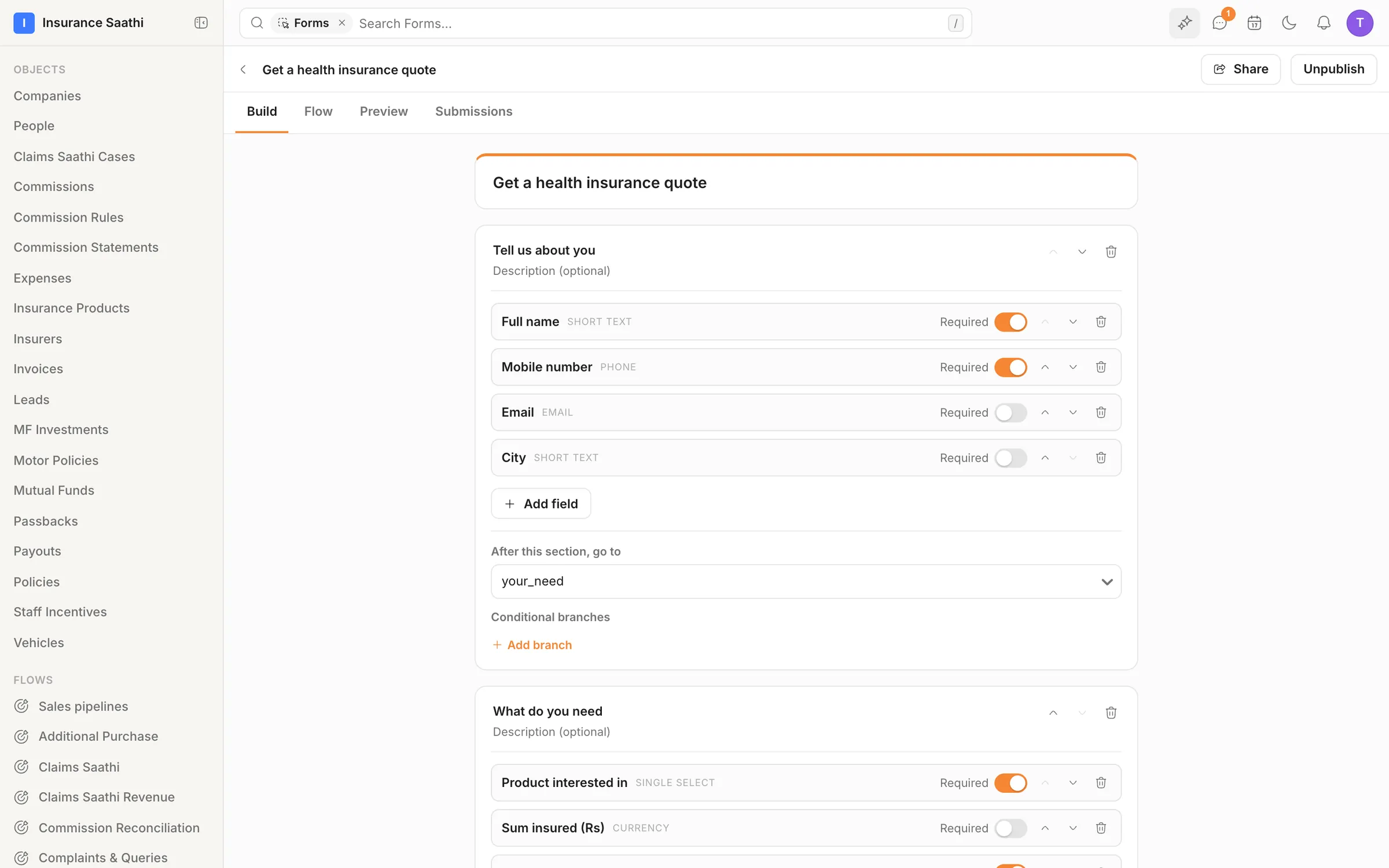
Build a form in sections with typed fields and mark what's required. Branch to a different section depending on the answer — a motor quote goes one way, a health quote another.
- Typed fields with required toggles
- Conditional branches between sections
- Preview every path before you publish
Records
Every answer becomes a record
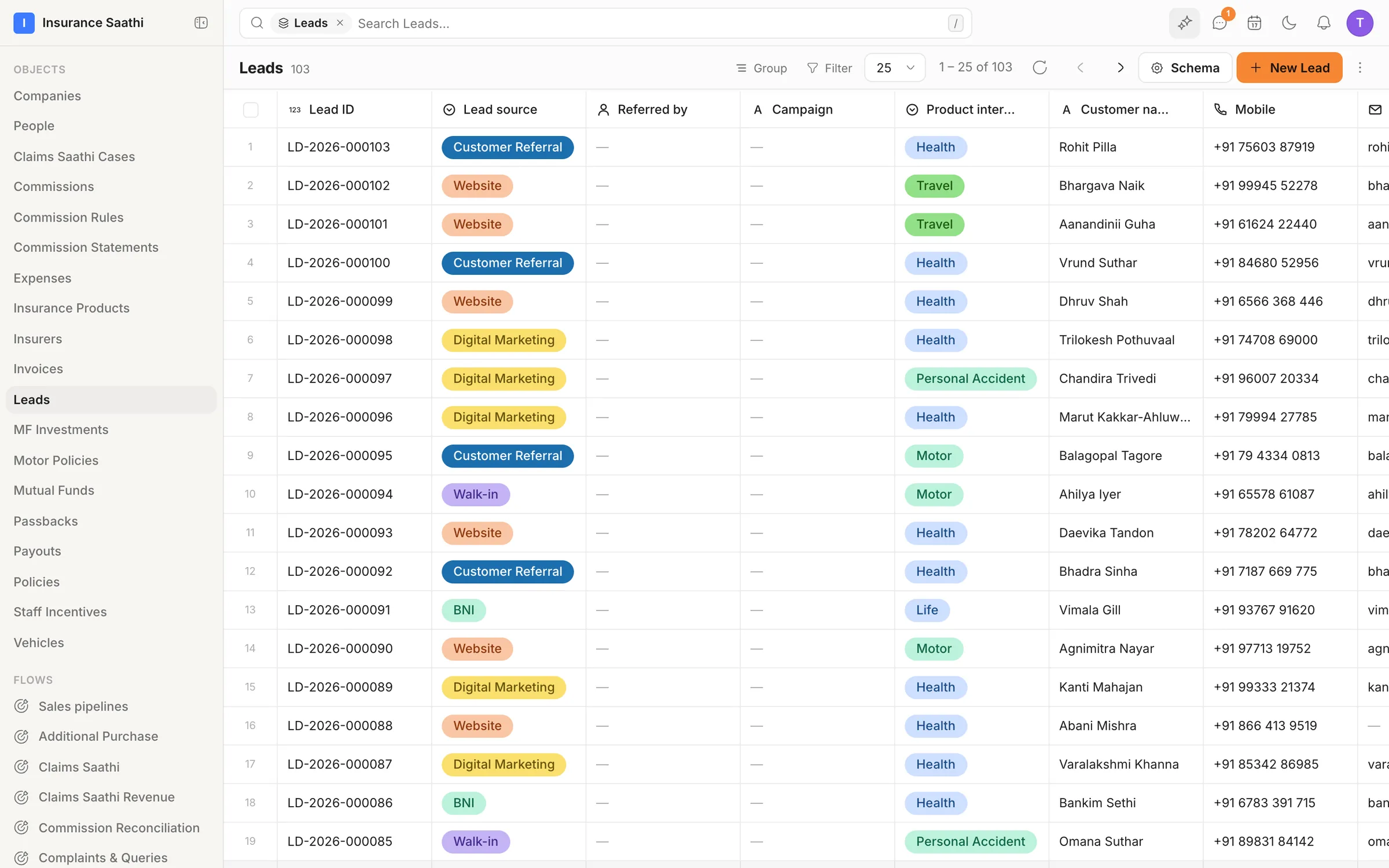
Submissions land in the object you choose — a lead, a service request, a claim — marked as coming from the form. Nobody trawls an inbox or retypes a thing.
- Answers mapped to your own fields
- The source recorded on every record
- Submissions kept per form
Sharing
Put it where your clients are
Send the link on WhatsApp or email, or embed the form on your website. Unpublish it in one click when the campaign ends.
- A shareable link for every form
- Embeds for your own website
- Publish and unpublish in one click
Follow-up
Reply while they're still interested
A submission can start a workflow: create the lead, assign an owner, send a WhatsApp welcome from an approved template and add a task — before anyone opens the inbox.
- Workflows that start on submit
- An owner assigned automatically
- A welcome from an approved template
Also in the box
Submission counts
The forms list shows how many submissions each form has had.
Source on the record
Records remember they came from a form — filter and report on it.
Readable IDs
Each new lead gets a number you can quote on a call, like LD‑2026‑000103.
Preview first
Try the form in Preview before anyone else sees it.
On or off
Forms have their own switch in Settings → Features.
Through the API
Create, publish and unpublish forms, and read submissions, over the REST API.
Put your agents to work.
Bring your team, connect your channels and let klerc take the follow-ups — from first hello to paid invoice.
Free during early access. No credit card needed.